





For cooperatives and buyers
Every Farmer Paid. Every Shilling Accounted For.
AutoPayKe shows a farmer exactly where their money is, from the day their lot sells to the day they're paid. Cooperatives, unions and marketing agents track every lot against the 5-day payment rule, pay farmers to M-Pesa with two-person approval, and keep proof of every step. We never hold the money.
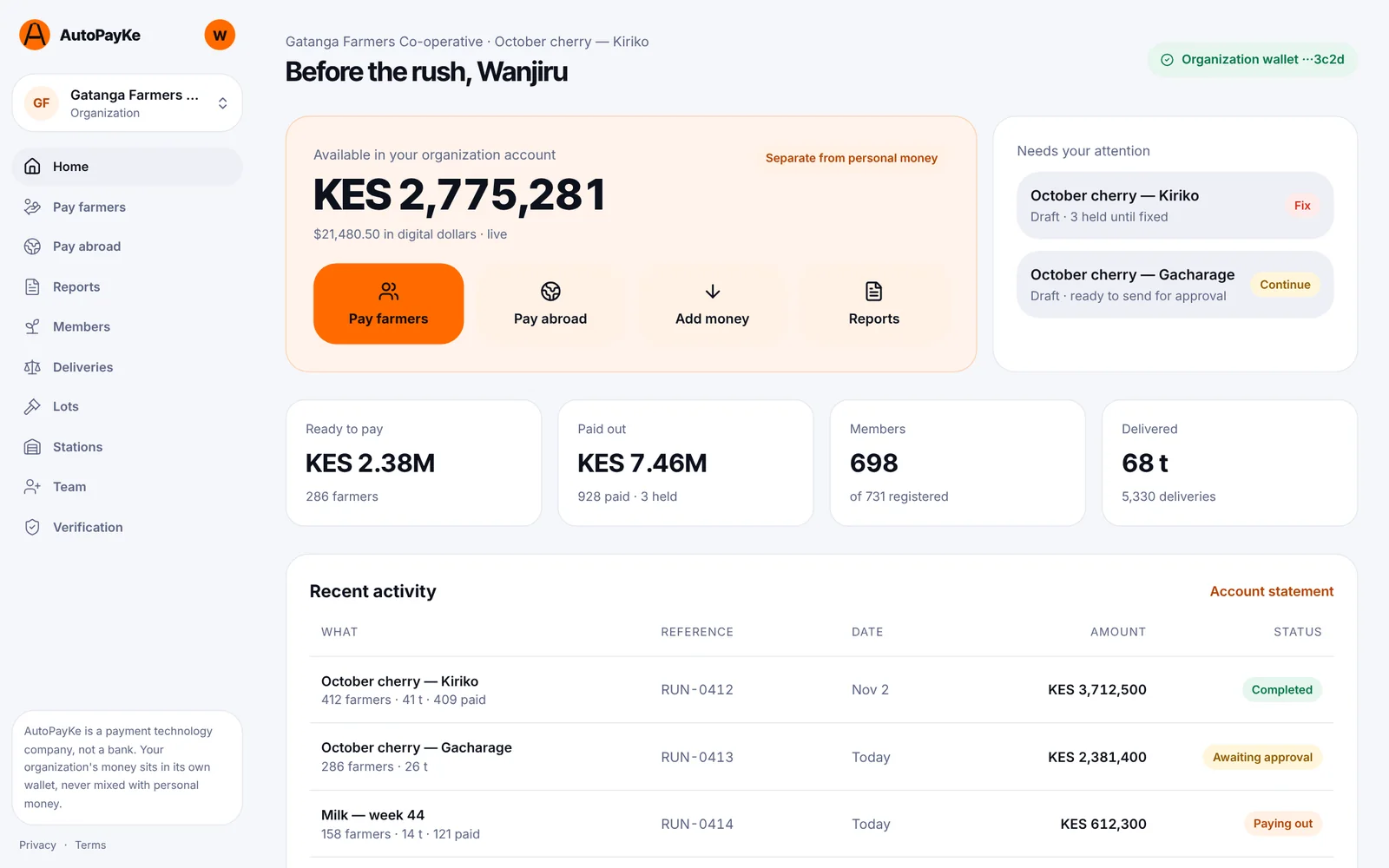
From the weighing scale to the farmer's phone
The 5-day rule
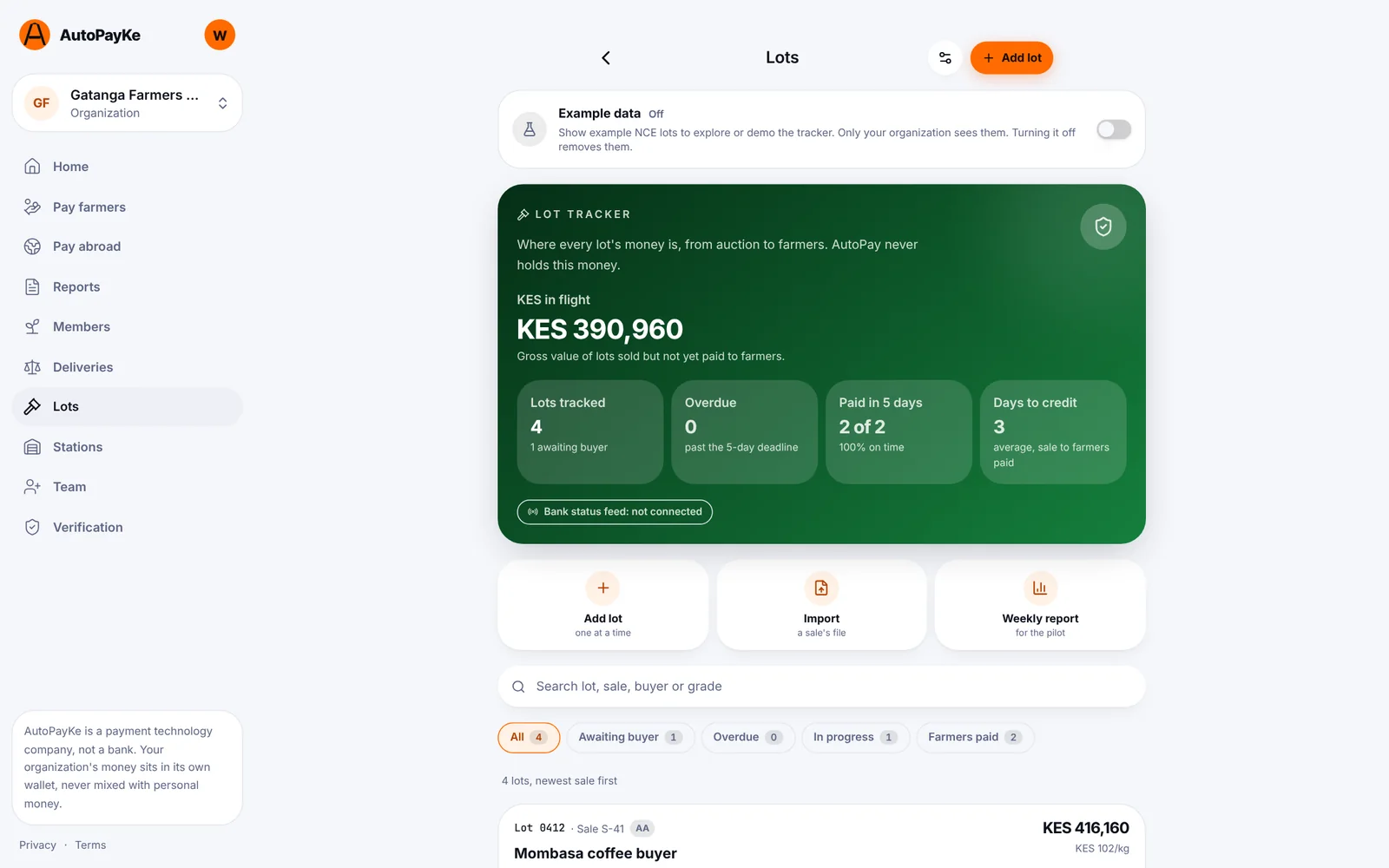
Know which lots are late before anyone asks
Farmers must be paid within five days of their lot selling. The Lot Tracker puts a clock on every lot, so your team sees what's on time, what's at risk and what's overdue, and can act before a farmer has to call.
The deadline counts five days from the sale date. Overdue lots and farmers paid late are counted in the weekly report.
- 1
Sold
The lot clears at auction. The 5-day clock starts.
- 2
Buyer paid
The buyer's payment is recorded, by your team or the bank feed.
- 3
Warrant issued
The warrant for the lot is on the record.
- 4
Bank released
The bank releases the proceeds to your account.
- 5
Farmers paid
Every farmer's share is paid and receipted.
For farmers
A receipt they can read, in their language
Every farmer gets an SMS in English or Swahili for each lot: the price per kilo, their kilos, every deduction named, what's left for them, and whether it's been paid. A short link opens their receipt page, with each step of the lot's payment clock.
The receipt page tells farmers who to contact, and your team logs every query on the lot it's about. Fewer phone calls, fewer disputes, and a record of every answer.
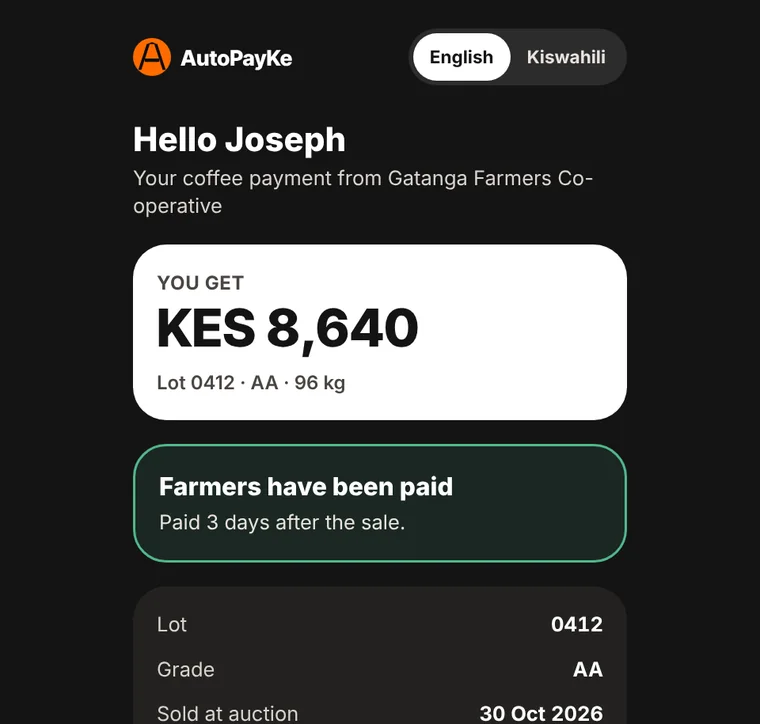
Named deductions
Levies, transport and loans are listed one by one, never folded into a single figure.
Works on any phone
Plain SMS, no app to install. The link opens in any browser.
Paid to M-Pesa
Live in KenyaPayout runs pay each farmer straight to their M-Pesa number, or to their own AutoPayKe wallet.
Private by default
A receipt link shows one farmer's share of one lot, nothing else.
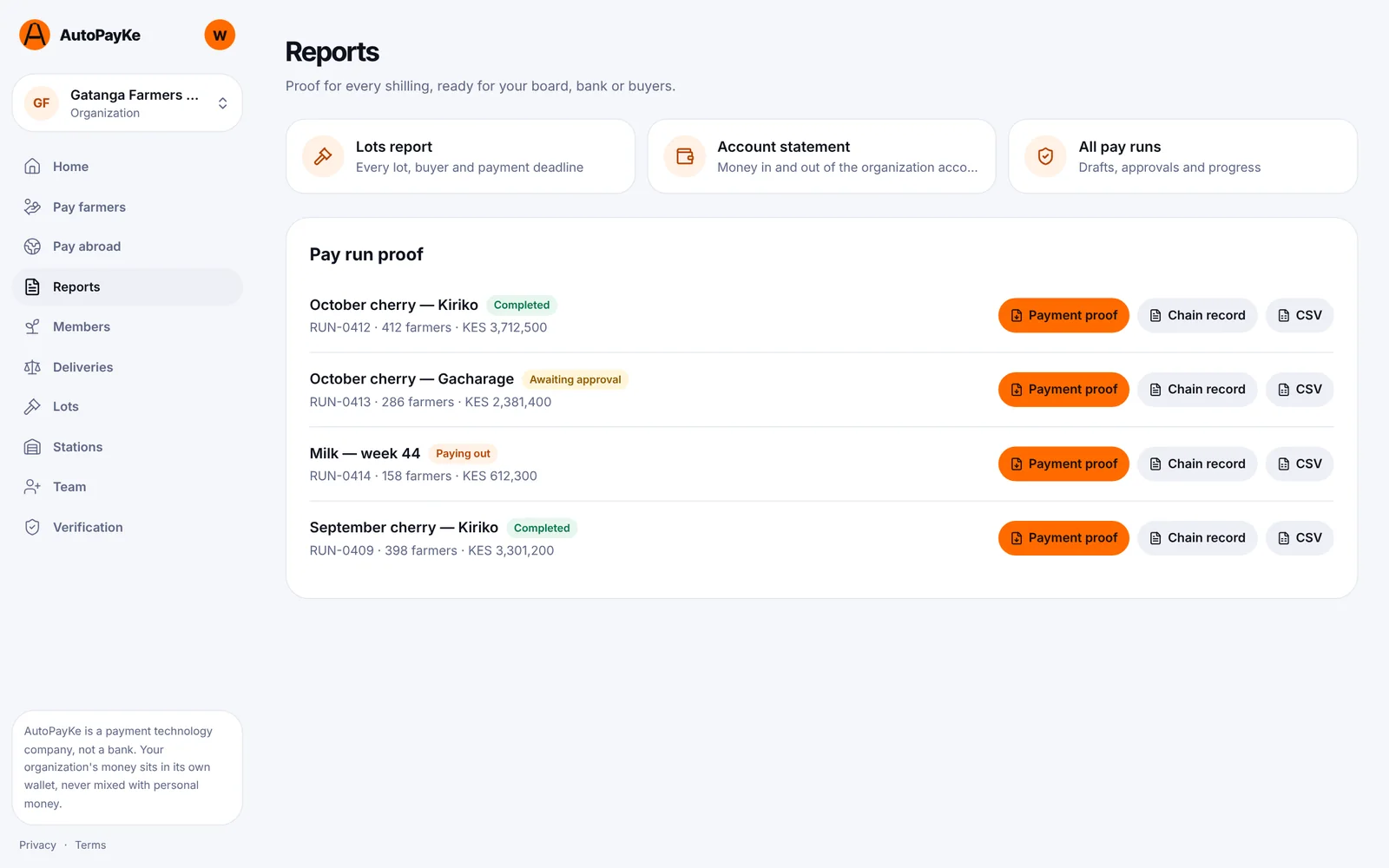
Built for audits, boards and regulators
Controls and proof
Whoever builds a payout run can't approve it. The approver sees the full quote, fees included, before money moves.
Voided deliveries, details that don't match the registry and screening hits hold that one payment until someone clears it.
Retries after a timeout can't send the same payment again. One farmer failing never touches the others.
Days to credit, share of late payments, farmer queries per 100 lots and receipt open rate, with a CSV for your board.
Your bank
Bank updates without the typing
Each organization gets its own feed key. You can switch the feed off at any time.
Your bank can post lot payment updates (buyer paid, proceeds released) straight to your Lot Tracker with a private feed key, so the clock moves the moment the bank does. Files work too: import a statement and every matching lot updates.
Bank status feed
Updates arrive as the bank sends them.
File import
Upload a CSV from your bank or exchange.
Farmers told
Receipts update when the lot moves.
Getting started
Set up in an afternoon
You can explore the Lot Tracker with example data first. It's clearly marked, and you can switch it off at any time.
- 1Create your AutoPayKe account with your phone number.
- 2Register your organization and submit its documents for verification.
- 3Invite your finance team, approvers and buying stations.
- 4Add your farmers, or import them from a spreadsheet.
- 5Record deliveries and lots, and pay your first run.
Pay every farmer, with proof
Register your organization, invite your team and pay your first run. You can explore the Lot Tracker with example data first.